 Help
A trunk can present any number on your account as its caller ID. To present a number that isn’t, such as an end user’s number still with another provider, it has to be approved first. Australian rules require us to check you are entitled to use it.
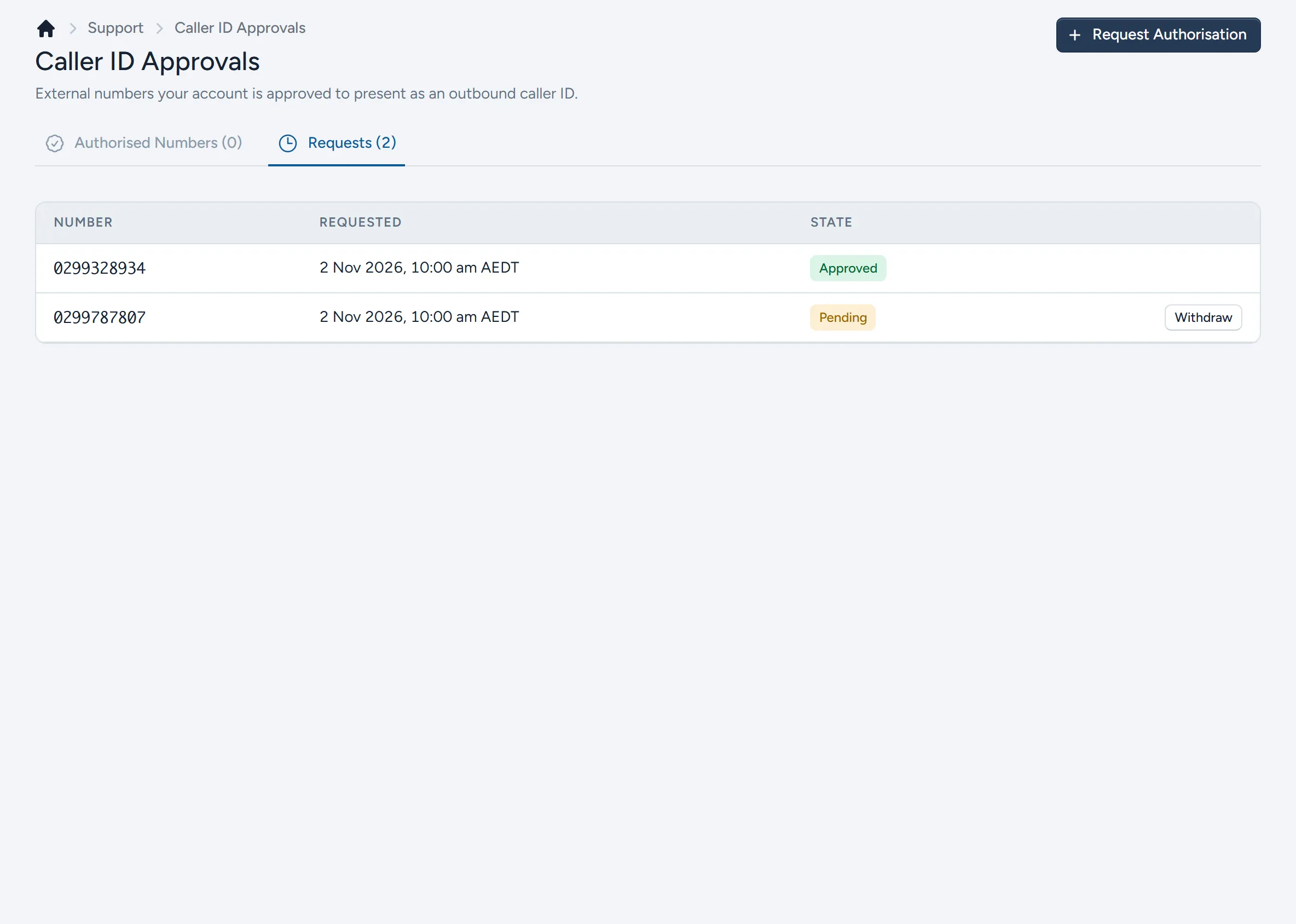
Caller ID Approvals, under Support, lists the external numbers already approved, and your requests.
Request approval
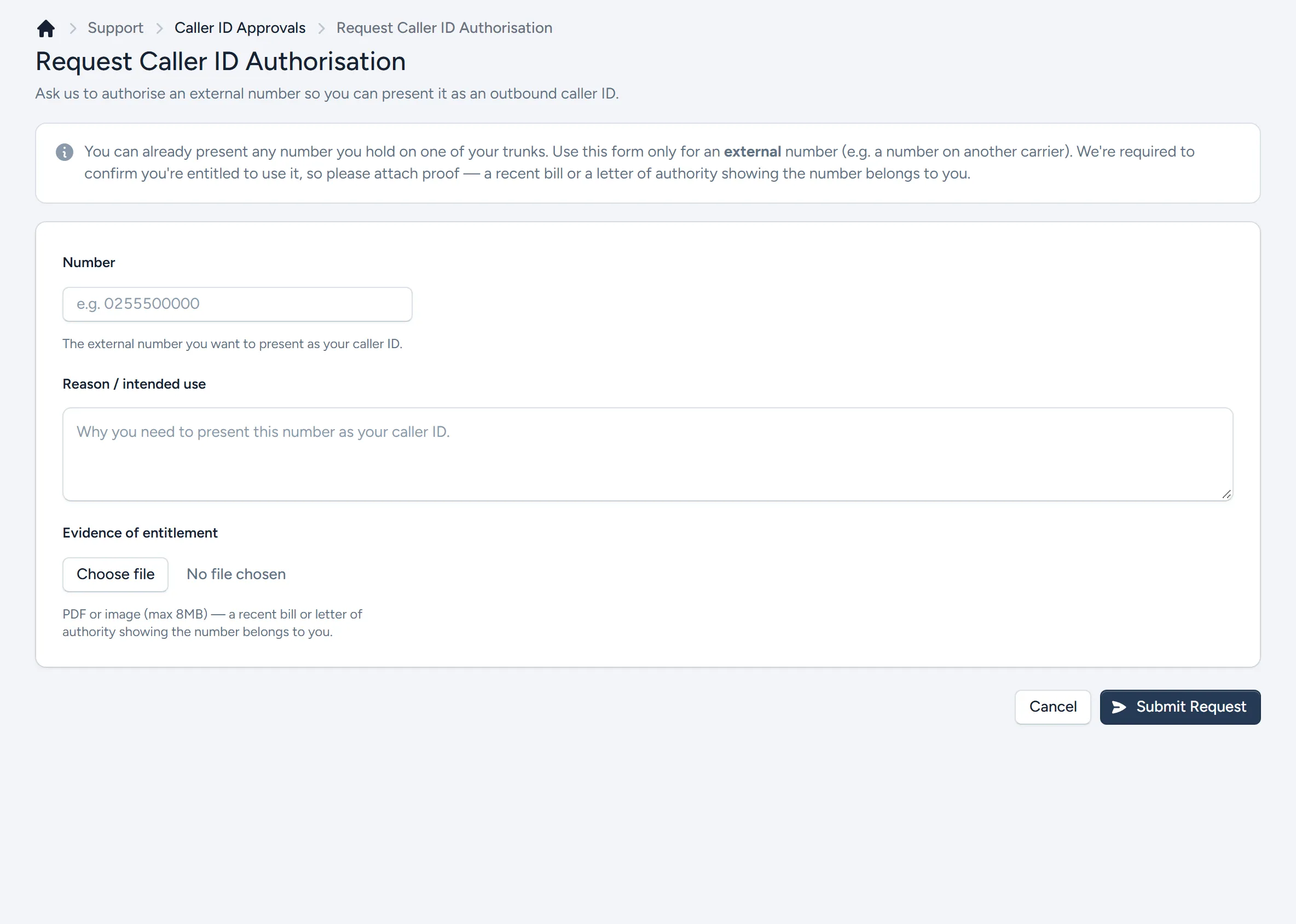
- Choose to request approval.
- Enter the Number.
- Under Reason / intended use, say why you need to present it. For example, “the customer’s main number while it ports to us”.
- Attach Evidence of entitlement: a recent bill, or a letter of authority showing the number belongs to you or your customer. It must be a PDF, PNG or JPG, up to 8 MB.
- Choose Submit Request.
We email you the outcome. The page has two tabs, each with its count: Authorised Numbers and Requests. On Requests, a request shows as Pending, then Approved or Rejected. A rejected one shows our reason beneath it. Withdraw cancels a pending request, after asking. A request marked “Raised by Check Networks” is one we raised for you.
Once approved, the number appears under Authorised Numbers and you can set it as a trunk’s outbound caller ID.
You can also request, follow and withdraw approvals with the
API, under Caller ID Authorisations. A
request made there shows here too, and each decision sends the
callerId.statusChanged webhook.
If the request is refused
| The form says | What to do |
|---|---|
| “Your account can already present this number as a caller ID — no request needed.” | It is already on your account or approved. |
| “You already have a pending request for this number.” | Wait for the outcome. |
13, 1300, 1800 and 1900 numbers can’t be a caller ID at all.