Requesting a port
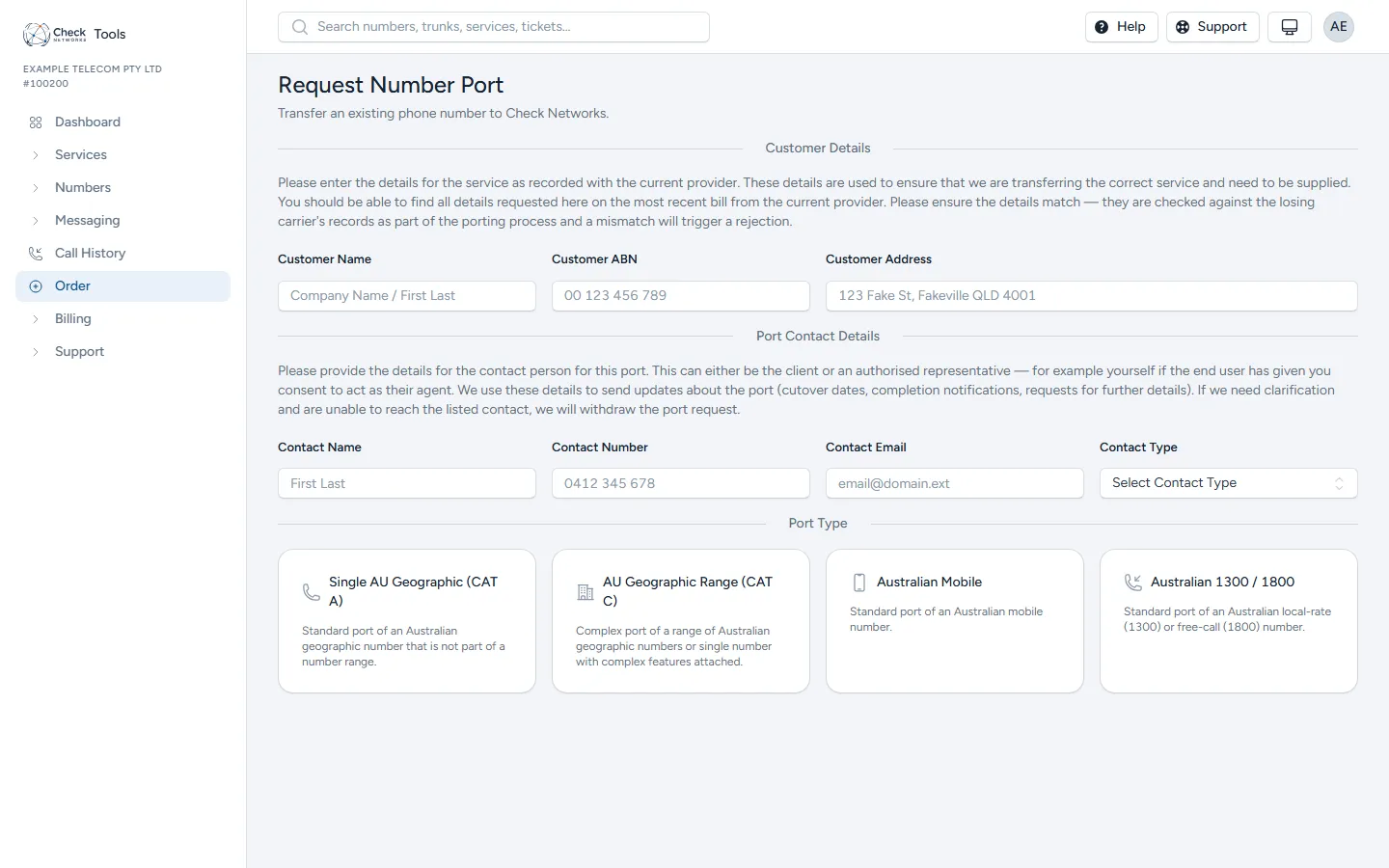
Go to Order and choose Port a Number. Before you start, check who currently holds the number with Numbers → Number Lookup.
What you need
Section titled “What you need”Everything on the form is checked against the losing provider’s records. A mismatch is the most common reason a port is rejected, so take the details from the customer’s most recent bill from that provider, not from memory.
- Customer details: the name, ABN and address exactly as the losing provider has them.
- Port contact: the person we send updates to (cutover dates, completion, requests for more information). It can be the customer or you, if the customer has agreed to you acting for them. If we need something and can’t reach this contact, we withdraw the port.
- Port type: see Which port type to choose.
- Losing provider and the service number (or, for CAT C, every number and range).
- Recent bill: one PDF bill from the losing provider covering every number on the request. All the numbers must be on the same losing account; numbers on different accounts need separate ports.
- Preferred cutover: optional. The day you would like the number to move; we confirm the actual date once the losing carrier agrees.
- Delivery: the trunk inbound calls should go to once the port completes, and the IPND service address to publish for the numbers. Add an IPND address first if the one you need isn’t listed.
For a mobile port the form also asks whether the service is postpaid or prepaid, and for the account number or the date of birth that goes with it.
Choose Validate Form. Once it passes, the porting authority and terms appear. The porting authority and the terms must be accepted; the agent authority is recommended, as it lets us re-sign the paperwork for you if the authority expires or details need adding.
After you submit
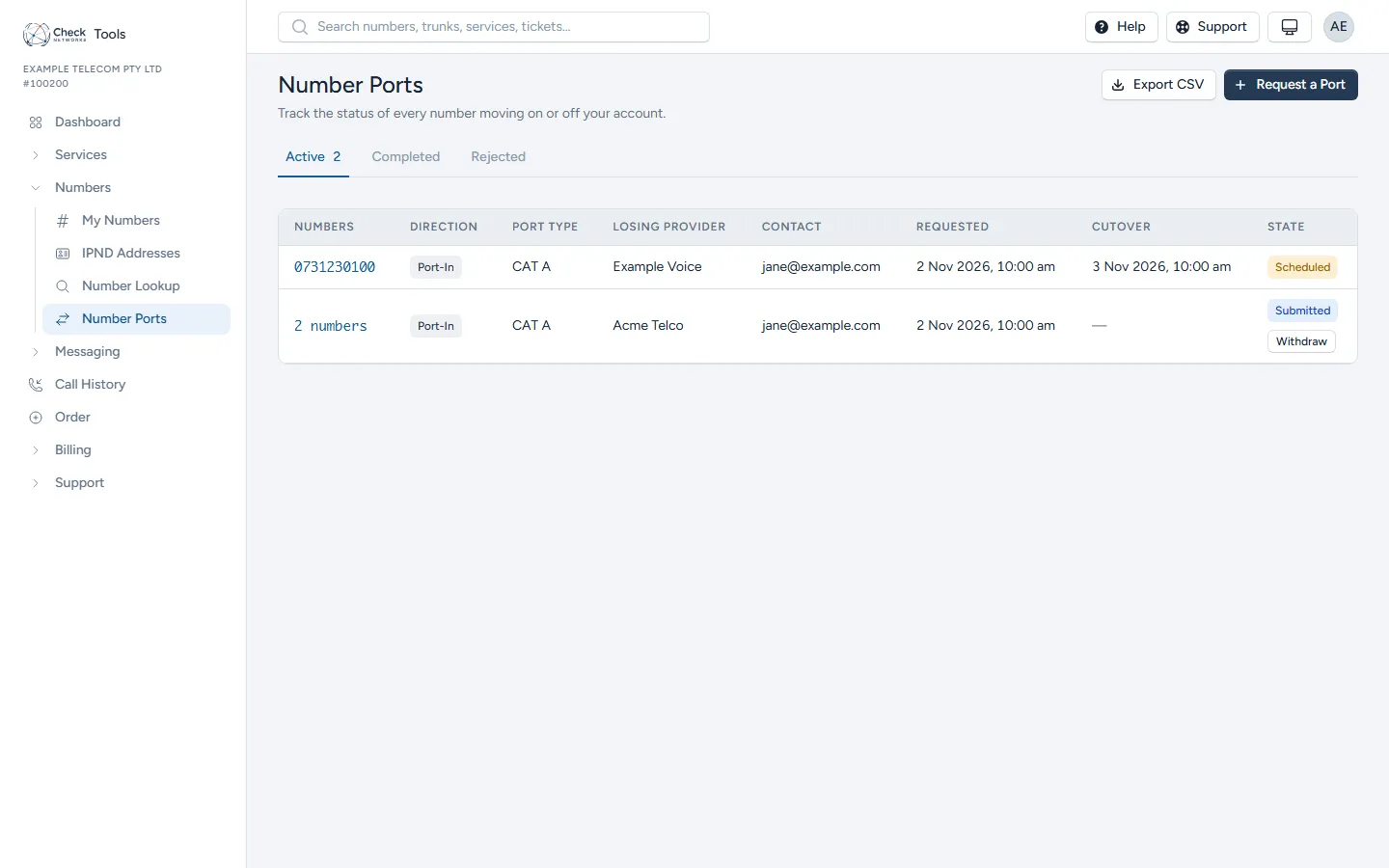
Section titled “After you submit”The port shows under Numbers → Number Ports with its state:
| State | What it means |
|---|---|
| Requested | We have your request. |
| Submitted | Lodged with the losing carrier. |
| Confirmed | The losing carrier has accepted it. |
| Scheduled | A cutover date is set. From here the port can’t be withdrawn. |
| PPV Sent | Mobile only: the verification code has been sent to the number. |
| PPV Validated | Mobile only: the holder has confirmed the code. |
| Submitted Upstream | Mobile only: lodged with the losing carrier. |
| Activated | The number is with us and routes to the trunk you chose. |
| Rejected | The losing carrier refused it. See Port rejections. |
| Cancelled | Withdrawn, by you or by us. |
Mobile ports: the verification code
Section titled “Mobile ports: the verification code”After you submit a mobile port we send a six-digit code by SMS to the number being ported. Australian law requires the person holding that number to confirm the transfer before it can be lodged, so have the handset to hand. Enter the code on the port’s Confirm page. An expired code can be sent again from the same page.
Withdrawing a port
Section titled “Withdrawing a port”You can Withdraw a port from Numbers → Number Ports until the cutover is locked in (Scheduled, or Submitted Upstream for a mobile). After that, stopping it is an emergency reversal, which carries the fee in your wholesale agreement.