 Help
Messaging, then SMS, has three tabs: Messages, Inbound Delivery and Approved Senders.
Messages
The Messages tab lists every text sent from or received on your numbers. Each row shows When, the Direction, who it is From and To, the Message, its Parts and its Status. Filter by Direction or search by number or message text. Select a column heading to sort by it. Export CSV downloads them. This tab needs permission to manage services.
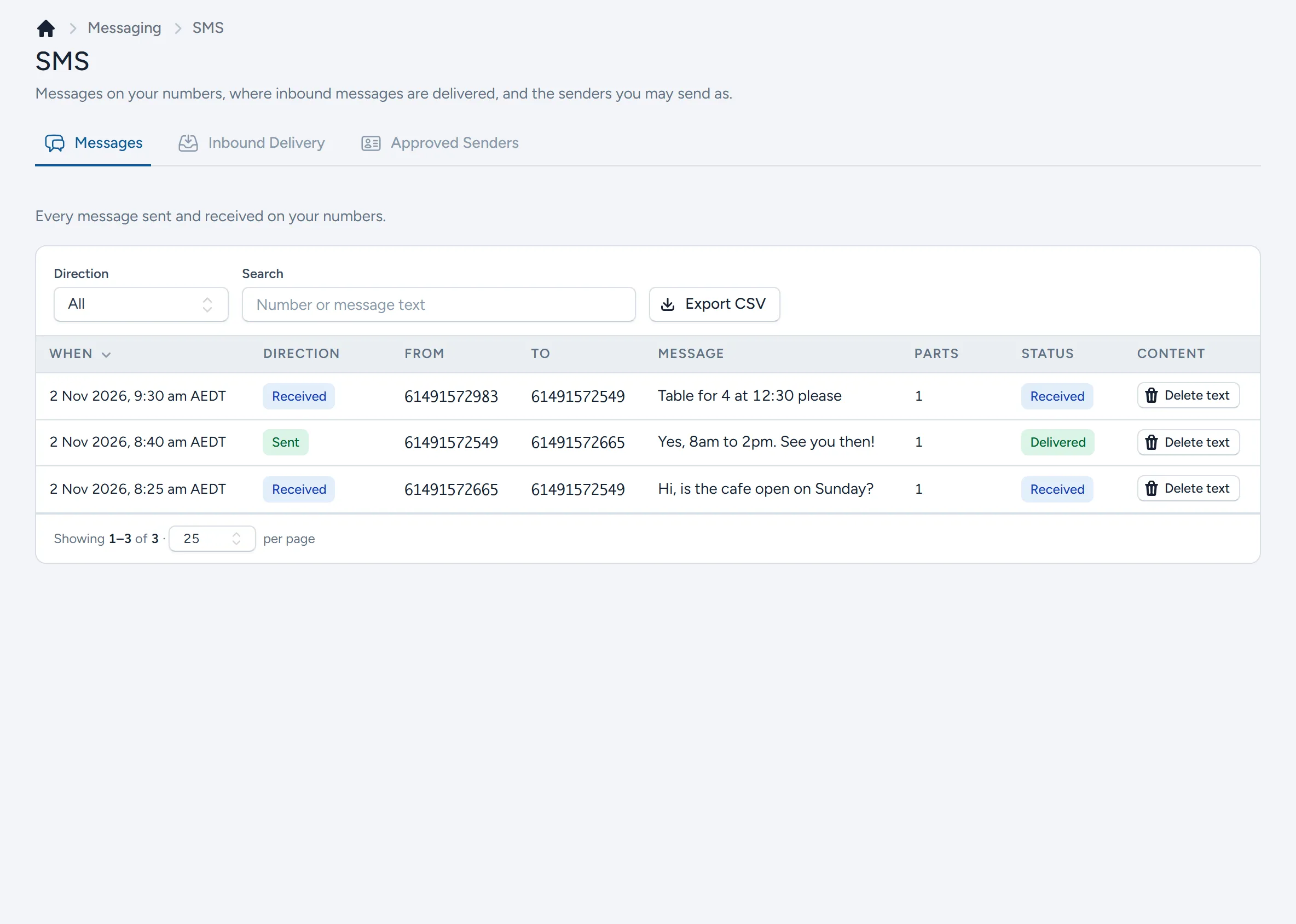
| Status | Means |
|---|---|
| Received | An inbound text, received and stored on your number. |
| Delivered | Reached the handset. |
| Pending | On its way. |
| Failed | Couldn’t be delivered. |
| Held | Stopped by our scam screening. |
We keep the text of a message for 90 days, or 7 days once it is delivered on to you, and then it shows as “No longer held”. You can delete a message’s text sooner: choose Delete text in its Content column and confirm. The record stays, but the words are removed within 7 days and can’t be recovered. Until then it reads Deleting soon, and Deleted after.
Inbound delivery
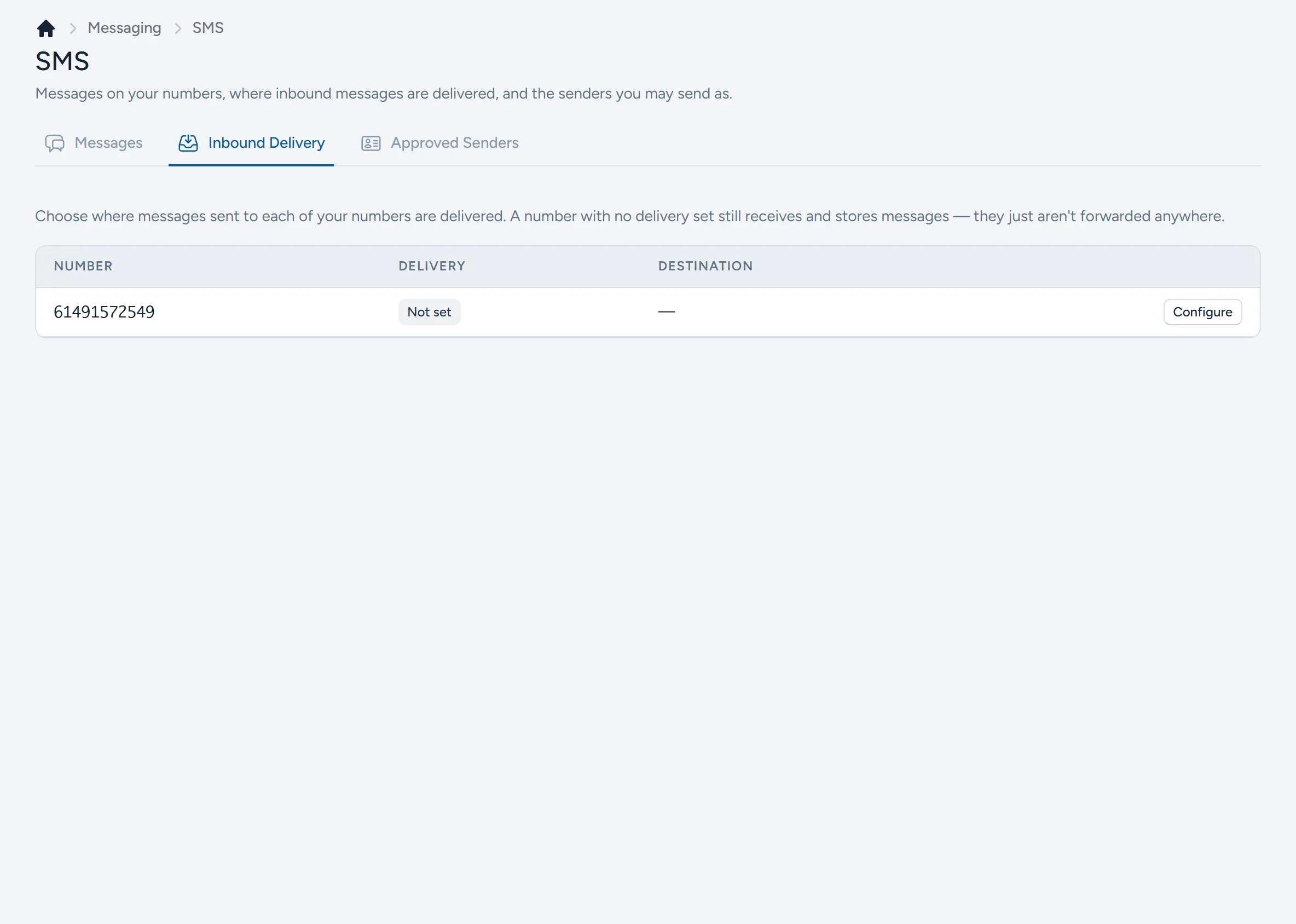
A text to one of your mobile numbers is always received and stored. To have it forwarded:
- On Inbound Delivery, choose Configure on the number. This needs permission to manage services.
- Under Deliver via, choose email or webhook. Don’t forward stops forwarding. Messages are still received and stored.
- Enter the Email address or the Webhook URL. The webhook must be a public HTTPS address, and we POST each message to it as it arrives. Pick the Payload format your system expects.
- Every webhook request is signed, as described below. For a Yeastar PBX, enter the Shared secret set on the PBX. For Generic or 3CX, leave Signing secret blank and we generate one when you save.
- Save. A generated secret is shown once, so copy it to the receiving system then.
Checking the signature
Each webhook request carries an X-Signature-256 header:
sha256= followed by the hex HMAC-SHA256 of the request body, keyed with the
number’s secret. To check a request, compute the HMAC over the raw body exactly
as received, before parsing the JSON. Compare it with the header using a
constant-time comparison. Reject a request whose signature doesn’t match: it
didn’t come from us.
$expected = 'sha256='.hash_hmac('sha256', $rawBody, $secret);
$valid = hash_equals($expected, $request->header('X-Signature-256'));
A stored secret is never shown again unless you choose Reveal, which is recorded against your login. Rotate issues a new secret and shows it once. Requests are signed with the new one straight away, so update the receiving system at the same time. A secret is kept when you edit the webhook, and removed when you switch the number to email or Don’t forward.
You can also set this from a number’s own settings.
“You have no mobile numbers that can receive SMS.” means you need a mobile number first. See Ordering numbers.
Approved senders
A text has to come from a sender you’re allowed to use. Numbers you hold with us are approved automatically. Anything else is checked by our team first, such as a number you’ve ported elsewhere or a sender name like HarbourCafe.
- On Approved Senders, request a sender.
- Enter the Sender: a phone number you control, or a name of 3–11 letters and digits.
- Under Why do you need it?, say what it is for.
- Choose Request Sender.
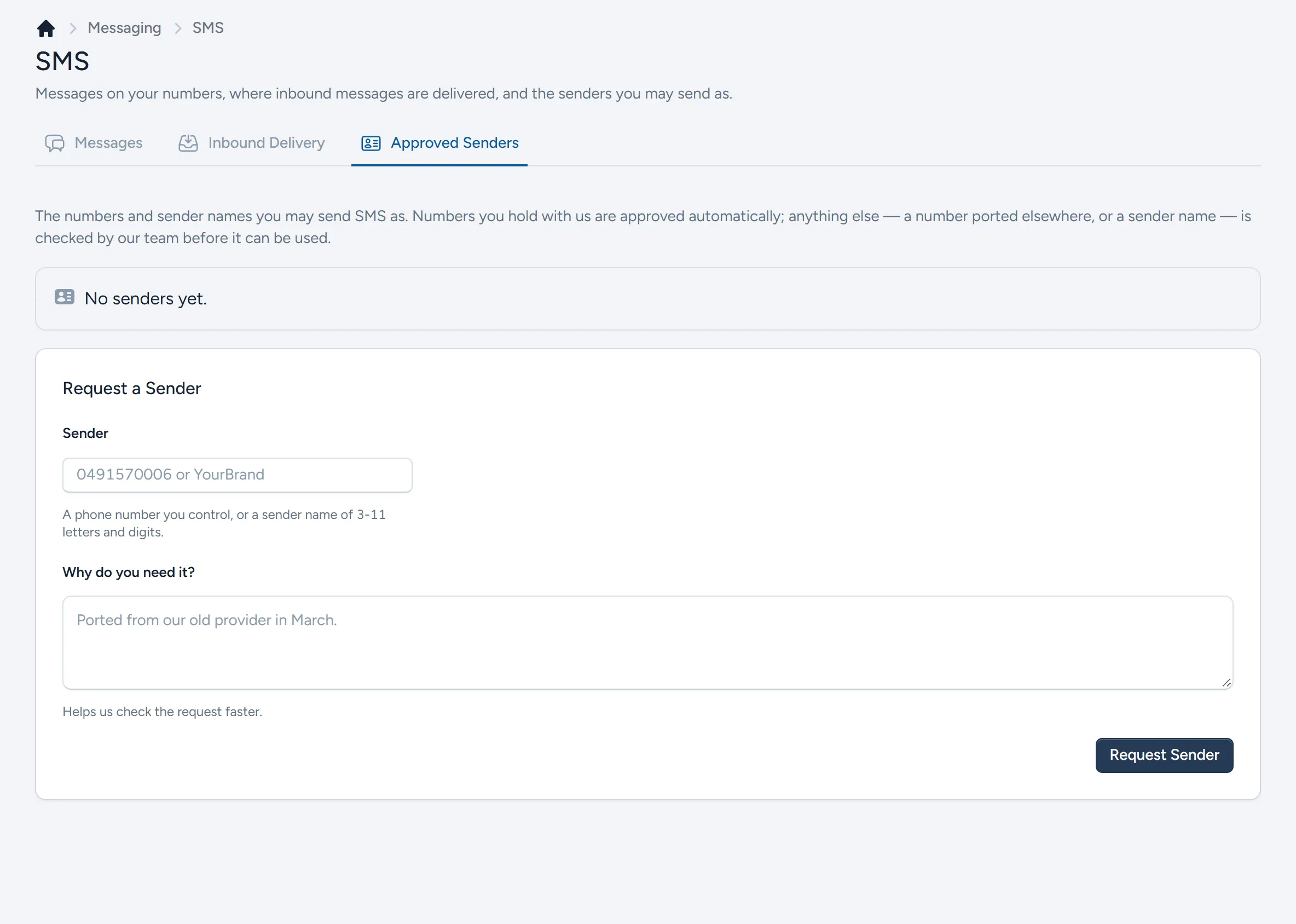
It shows as pending, and can be used once approved. A request can also end Rejected by our team, or Revoked when the number leaves your account. A request you withdraw reads Closed. Withdraw cancels a pending request, after asking. Requesting and withdrawing need permission to manage services.
What texts cost is under Pricing.