 Help
Go to Billing, then Pricing, to see your account’s current prices in one place: services, numbers, add-ons and call rates. These are the prices your invoices are calculated from. Prices exclude GST. Every user on your account can see this page, including those without the Billing permission.
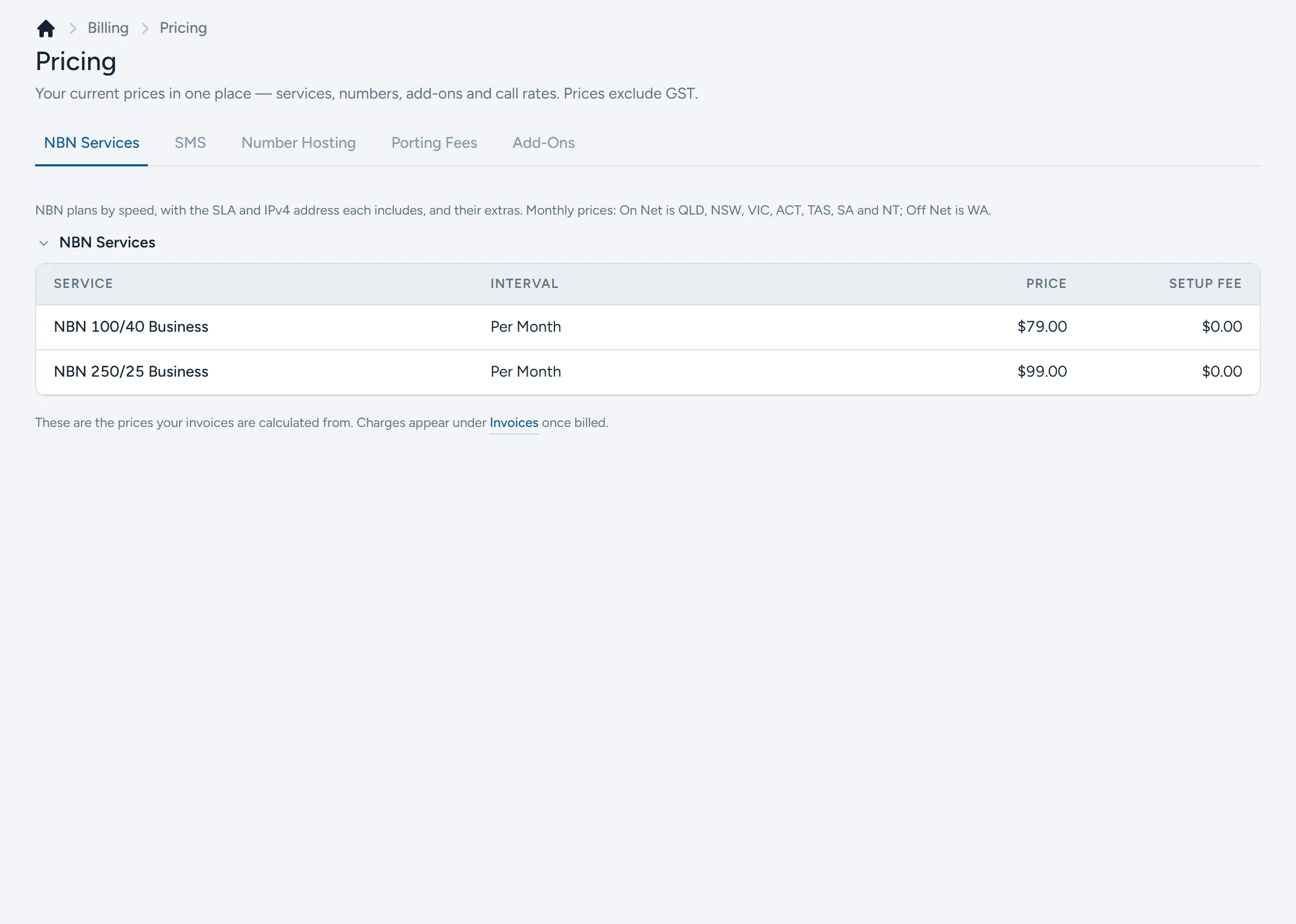
Services, numbers and add-ons
Each group of products has its own tab, such as NBN Services, SMS, Number Hosting and Porting Fees. A tab holds one table for each kind of plan, such as NBN Home, NBN TC4 Bundle and NBN Wireless, or, on Voice Bundles, Fax, Residential Voice and SIP Trunking. Each table can be closed with its heading, and all start open.
- Plans: each row is one plan. It shows its name and speed, the SLA and IPv4 Address it includes, then a price in each column. NBN plans show the On Net price for QLD, NSW, VIC, ACT, TAS, SA and NT, and the Off Net price for WA. Opticomm plans show QLD and Rest of Country. Where the two differ, the IPv4 address names each, such as QLD: Dynamic · Rest of Country: CG-NAT.
- Contract terms: NBN Enterprise Ethernet and Ethernet Access rows show their speed, class of service under CoS, and region, zone or route. They have a monthly price for each term: 36 Months, 24 Months and 12 Months. A dash means that term isn’t offered. These are guide prices, and your quote may differ.
- Volume tiers: a price that falls with volume has tiers. On Number Hosting, each number type shows the tier you’re in now, by how many of that type you hold. Select the range under Numbers Held to see every tier. You hold marks yours. SMS lists a row for each tier under Messages a Month. 1+ means one price whatever the volume. A number type’s Setup Fee sits beside its monthly price.
- Extras: each tab ends with its extras, such as NBN Extras. These are add-ons and fees with the Service, how often each is charged under Interval, the Price and any Setup Fee. A one-off fee shows its price once.
- Fax: the Fax table lists the two fax plans. The Fax Bundle is a monthly fee for one number with its pages included. The fax service is charged Per Number, Per Month with each page sent charged Per Page. A number on a fax plan has no separate Number Hosting charge.
POA means price on application. Contact your account manager.
Call rates
Call Rates covers Australia and New Zealand, including emergency 000, 112 and 106. It and International Rates list one row for each kind of call, such as AU National or AU Mobile. Each row has the Prefixes it covers, its Per Minute rate and Connection Fee, and how it is charged under Billing:
- Per Second or Per Minute: charged by time at the per-minute rate. Another increment reads as first / then. For example, 30s / 1s charges the first 30 seconds, then per second.
- Per Call: a flat charge for each answered call, the connection fee.
- Free Call: no charge.
Emergency calls to 000, 112 and 106 are free unless your agreement with us says otherwise, and they never appear on your end users’ bills.
Search by destination or prefix. Download CSV gives you the whole rate card, a row for each prefix.
No prices showing
“No pricing has been published for your account yet.” Contact support if you expected to see prices here.