 Help
Services, then Colocation, shows your rack space, cross-connects and included transit. It appears once your account has colocation.
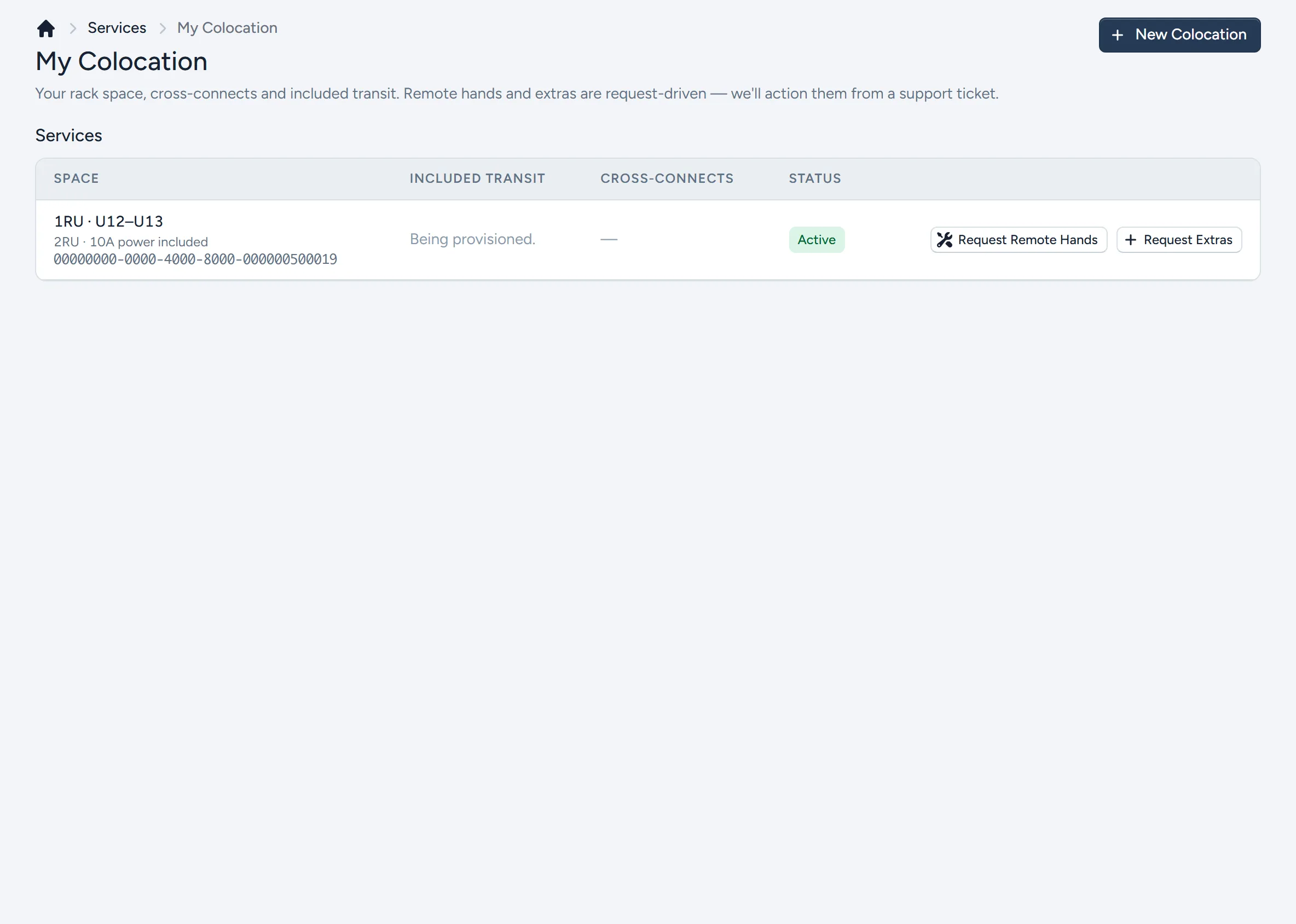
- Services has a row for each service: its rack units, the power included, its reference and its status. Each row has Request Remote Hands and Request Extras. A decommissioned service has neither button.
- Orders lists each order with its site, space, power and status. The status is Submitted, Fulfilled or Cancelled.
- A service’s Included Transit shows the transit that comes with your space: BGP or static, its speed and its prefixes. The prefixes include any extra address block, a /29 or /28, that our support team has added for you. Each extra block is charged monthly from the day it is added. For transit beyond what is included, see IP Transit.
- A service’s Cross-Connects lists its cross-connects and their status. One that comes with your space reads Included.
Ordering and requests need permission to manage services.
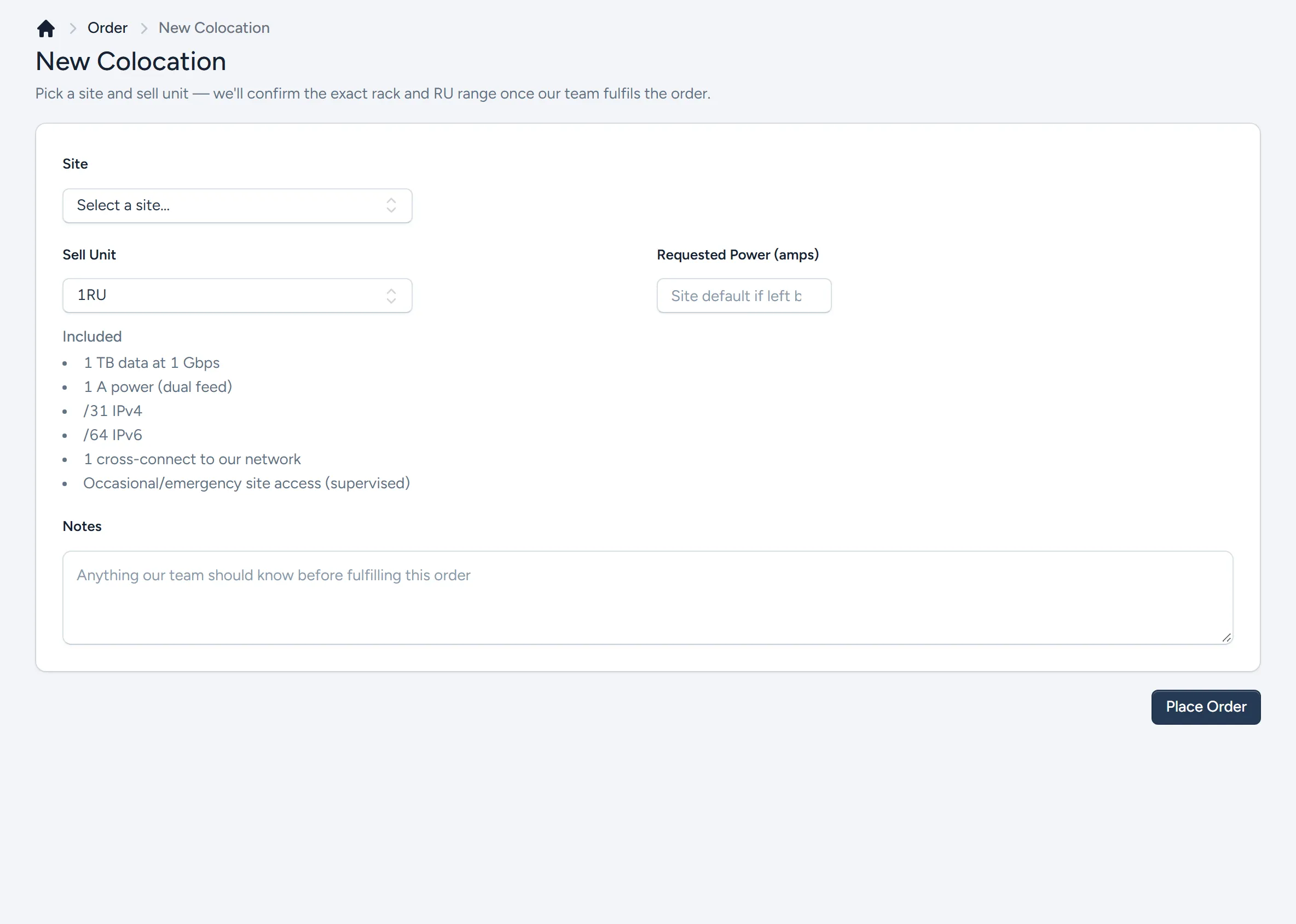
Order colocation
- Choose New Colocation.
- Pick the Site and the Sell Unit, which is the amount of space. Your account’s monthly price and any setup charge are shown as you choose. A sell unit we quote for reads “Priced and specified on application”.
- Enter the Requested Power in amps, or leave it blank for the site’s default.
- Add any Notes, and choose Place Order.
The page says Order submitted. Back to My Colocation returns to your list. The order is queued for our team to fulfil, and shows under Orders as Submitted until it is.
Remote hands
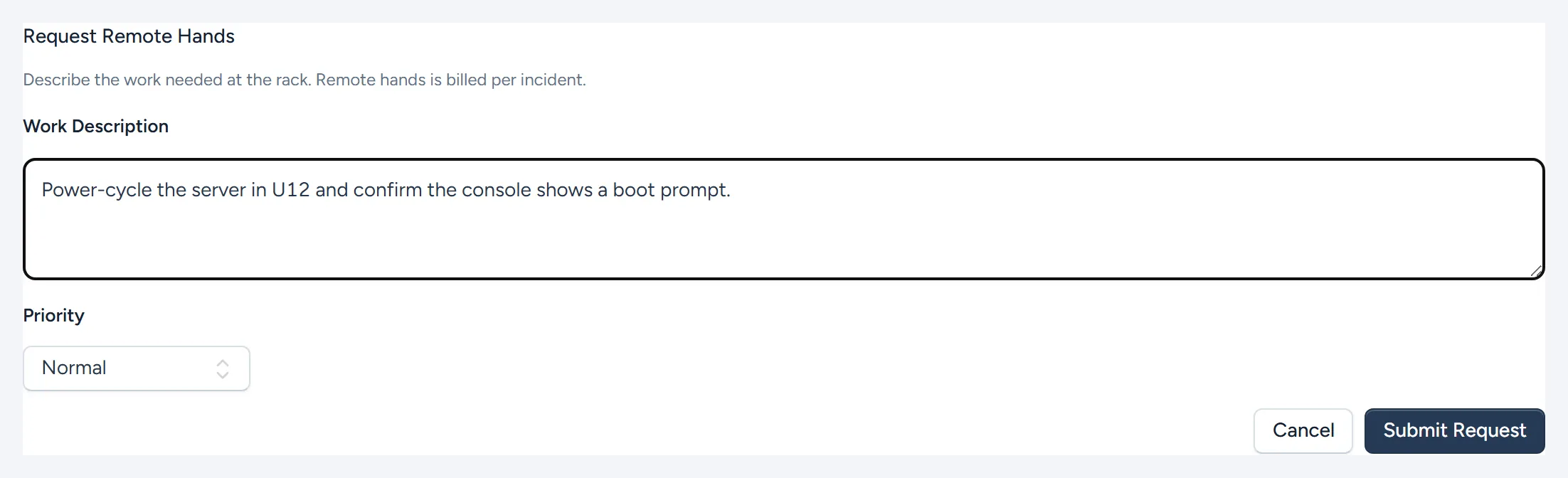
For work on your equipment on site, such as a reboot, a cable swap or a visual check, choose Request Remote Hands on the service’s row. The form opens under the list. Fill in the Work Description and pick the Priority: Low, Normal, High or Urgent. Then choose Submit Request. It becomes a support ticket. Remote hands is billed per incident.
Extras
For another power outlet, cross-connect or network port, or more bandwidth, choose Request Extras, pick What Do You Need?, and add the details. It becomes a Provisioning ticket, and we reply there.