 Help
The Integrated Public Number Database (IPND) is the national list of who each phone number belongs to and where it is. Emergency services read it when someone calls 000, so an ambulance goes to the right place. It also feeds directory listings.
Every Australian number in service needs an IPND address. One address can be used by every number at the same site.
Your addresses
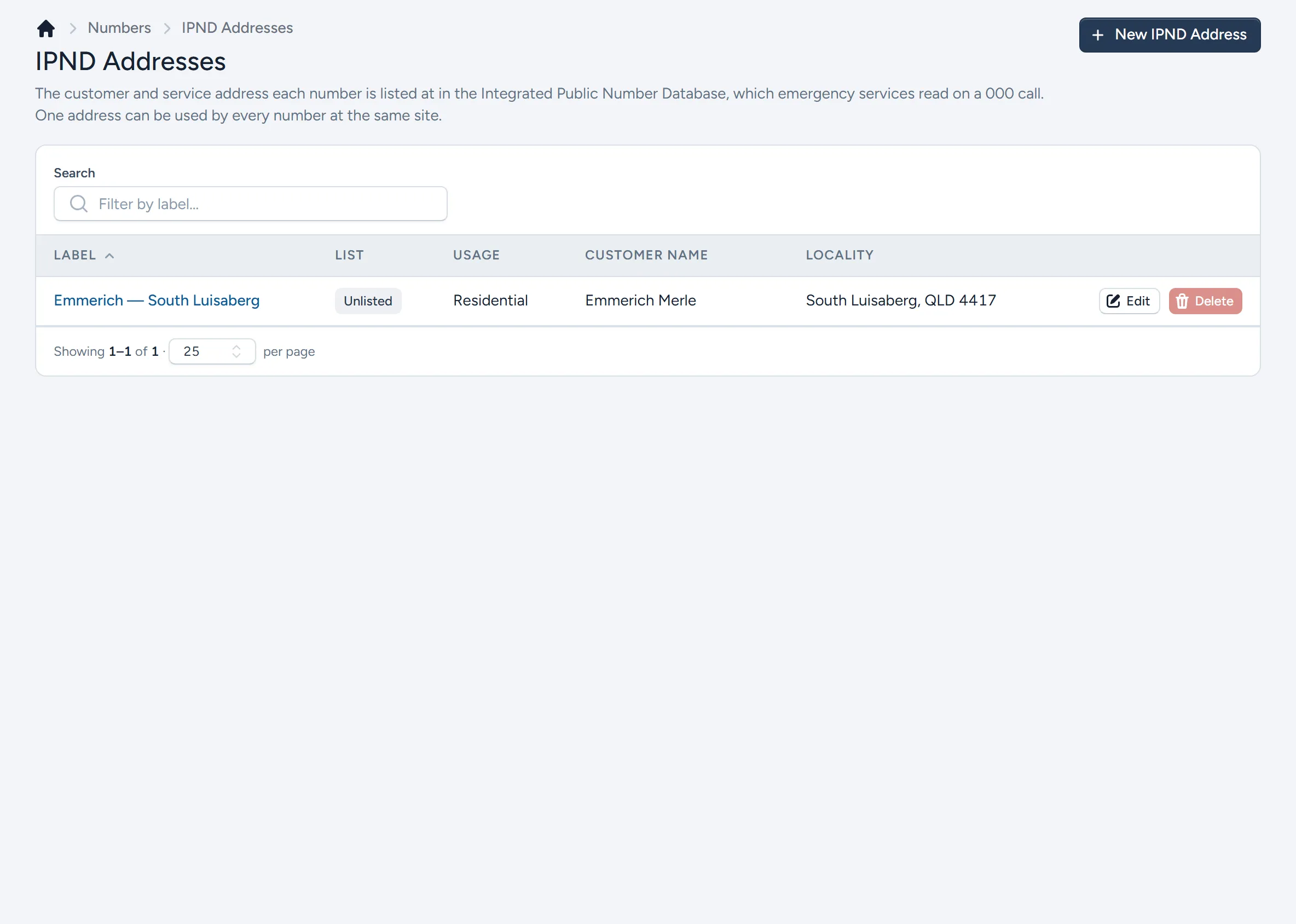
Numbers, then IPND Addresses, lists them with their Label, List, Usage, Customer Name and Locality. List is the address’s list code, covered below. Select a column heading to sort by it. Search by label, or choose Edit or Delete on one.
An address in use by a live number can’t be deleted. Its Delete is switched off, and pointing at it shows how many numbers use it. Move the numbers to another address first.
Add an address
Choose New IPND Address. A new address is unlisted by default: your customer has to opt in to a directory listing.
You can also add one in the middle of an order. New beside the IPND address on Order Numbers or on a residential line order opens this form. Its buttons then read Back to Order and Create and Return to Order, and saving takes you back to the order with the new address picked.
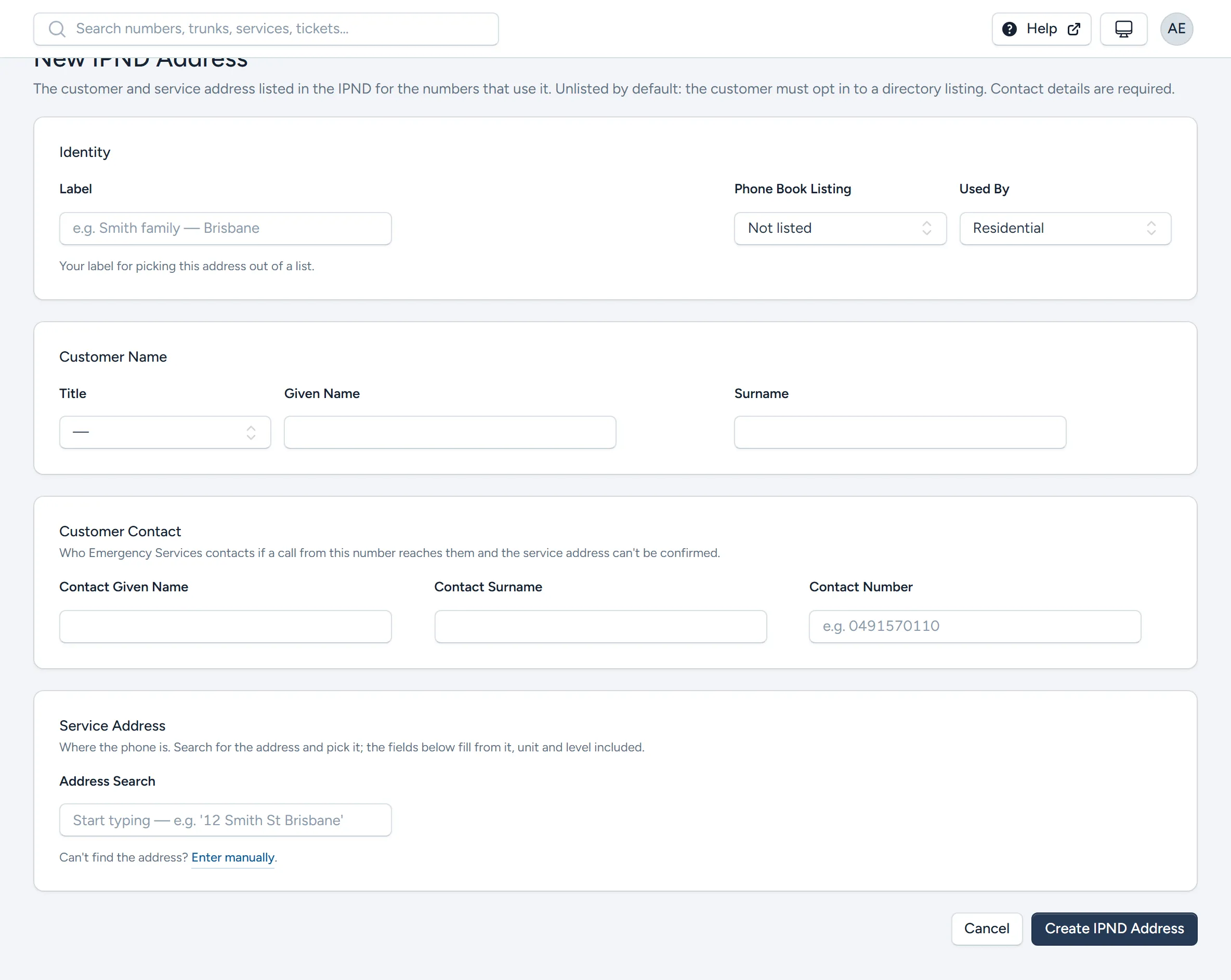
The form has six sections. Fill them in, then save.
| On the form | What to enter |
|---|---|
| Identity | A Label you’ll recognise, such as Harbour Cafe — Manly. Then the Phone Book Listing, explained under this table. And Used By: Residential, Business, Government, Charity, or Not Available. |
| Customer Name | For a residential customer, the Title, Given Name and Surname, required. For anyone else, the Business Name, required and up to 80 characters, and any Trading Name. |
| Phone Book Name | Only for a listed entry whose phone-book name differs. |
| Customer Contact | The Contact Given Name, Contact Surname and Contact Number of who emergency services can call. |
| Service Address | Where the phone is. Type three or more characters and pick the address, or choose Enter manually. Picking an address fills its unit and level too. If you type one in, choose Add Unit or Level if there is one. |
| Directory Address | Only for a listed entry whose phone-book address differs from the service address. |
| Phone Book Listing | What it means |
|---|---|
| Not listed | Not in the phone book. The usual choice. |
| Listed | In the phone book. |
| Listed, address hidden | In the phone book without the address. |
When an end user moves
When an end user changes their service address, we write the new address to their own IPND listing. If we can’t, we tell you. The end user shows under IPND Address Not Updated in Needs Attention on your dashboard, and we email your primary contact with the reason. One address change sends one email. If several of their listings could not be updated, it names each listing and its reason. The reasons are:
- The address was typed by hand, so it has no match in the address database.
- It was picked from the address database, which no longer has that record.
- The end user has no IPND listing of their own.
- Their listing is shared with other end users, and none of its numbers can be shown to be theirs.
Until it’s fixed, the IPND still holds the old address for their numbers. Edit their listing here with the new address, or have them pick the address from the list on their profile. Either takes them off Needs Attention.
If the form is refused
| The form says | What to do |
|---|---|
| That label is already used for another IPND address on this account. | Choose another label. |
| Postcode must be exactly 4 digits. | Enter the postcode as 4 digits. |
| Provide a street name or a building property name for the service address. | A service address needs a street, or a named building. |