 Help
The ACMA’s Family, Domestic and Sexual Violence Standard 2025 requires a telecommunications provider to publish how it supports customers affected by family and domestic violence (sections 16 to 18). Your end users see your statement in their portal. Until you publish one, they see ours.
Go to Retail, then Retail Settings, then DFV Statement. It is there once your account has an end-user portal. Editing needs permission to manage services. Partners don’t publish their own: their end users see yours.
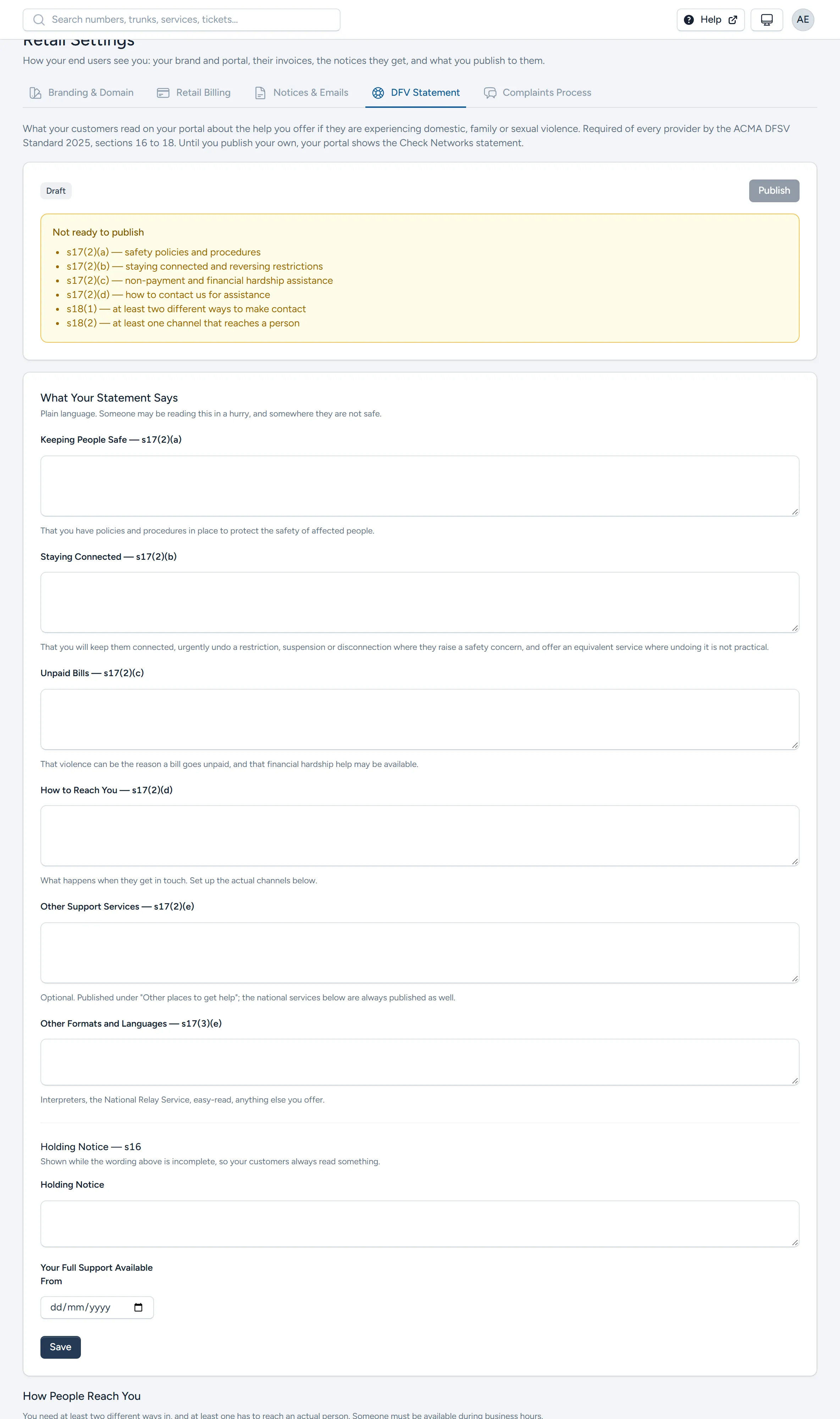
Write it
Each section says which part of the Standard it meets:
- Keeping People Safe: how you protect an affected person’s safety and privacy.
- Staying Connected: how you help them keep their service.
- Unpaid Bills: how you handle debts and hardship.
- How to Reach You: how they contact you. Under How People Reach You, choose Add Channel for each one. Give it a Channel Type of phone, email or chat, a Label, its Available Hours, and the detail asked for under Number, Address or Link. Tick “This reaches an actual person” and “Can take a call-back request for a later time” where they apply. Remove takes a channel out. You need at least two different channels, and at least one that reaches a person.
- Other Support Services, which is optional, and Other Formats and Languages.
- Holding Notice: what shows while your full support isn’t yet available, and the date it will be.
The national support services, such as 1800RESPECT, are always published with your statement. You don’t need to add them.
Choose Save as you go.
Approve and publish
- Under Sign-Off, enter who Approved By and their Title, and choose Record Approval. The statement shows “Approved by (name), (title) on (date)”.
- Choose Publish. “Published to your customer portal.” It shows Live on Your Portal.
If something required is missing, “Not ready to publish” lists it.
Changing the wording clears the approval, so it needs signing off again before it can be published. Unpublish takes it down. Your portal then shows our statement instead.
Through the API
GET and PUT /compliance/dfv-statement read and save the statement, and
POST /compliance/dfv-statement/channels and
DELETE /compliance/dfv-statement/channels/{id} add and remove its support
channels. The scopes are account:read and account:update. The rules are
the portal’s, and changing the wording clears the approval there too.
Approving and publishing stay here, as they need your senior executive. The
API shows what is still missing and links to this page. The routes answer 404
while the end-user portal is off.